Less friction · for AI agents
AgentShot
The screenshot tool built for AI agents.
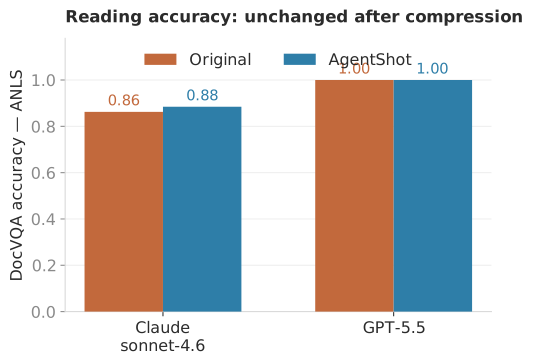
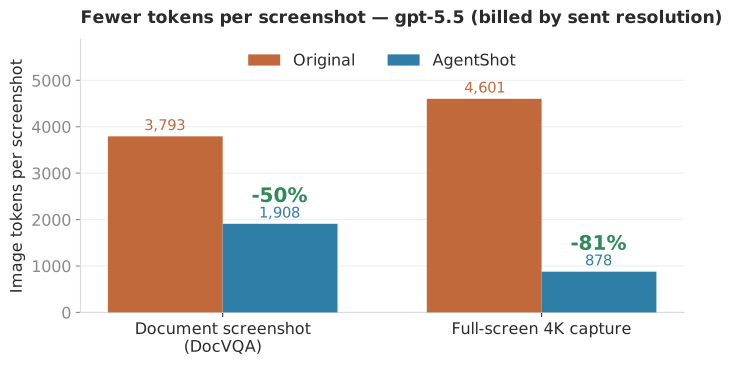
Snip, auto-compress to the vision sweet spot, on your clipboard. Up to 81% fewer image tokens, no loss in reading accuracy.
Install
One line in your terminal. Click to copy.
macOS · one line
Downloads AgentShot, installs it to /Applications, and launches it. First capture asks for
Screen Recording permission — allow it, then re-open AgentShot.
Why compress at all?
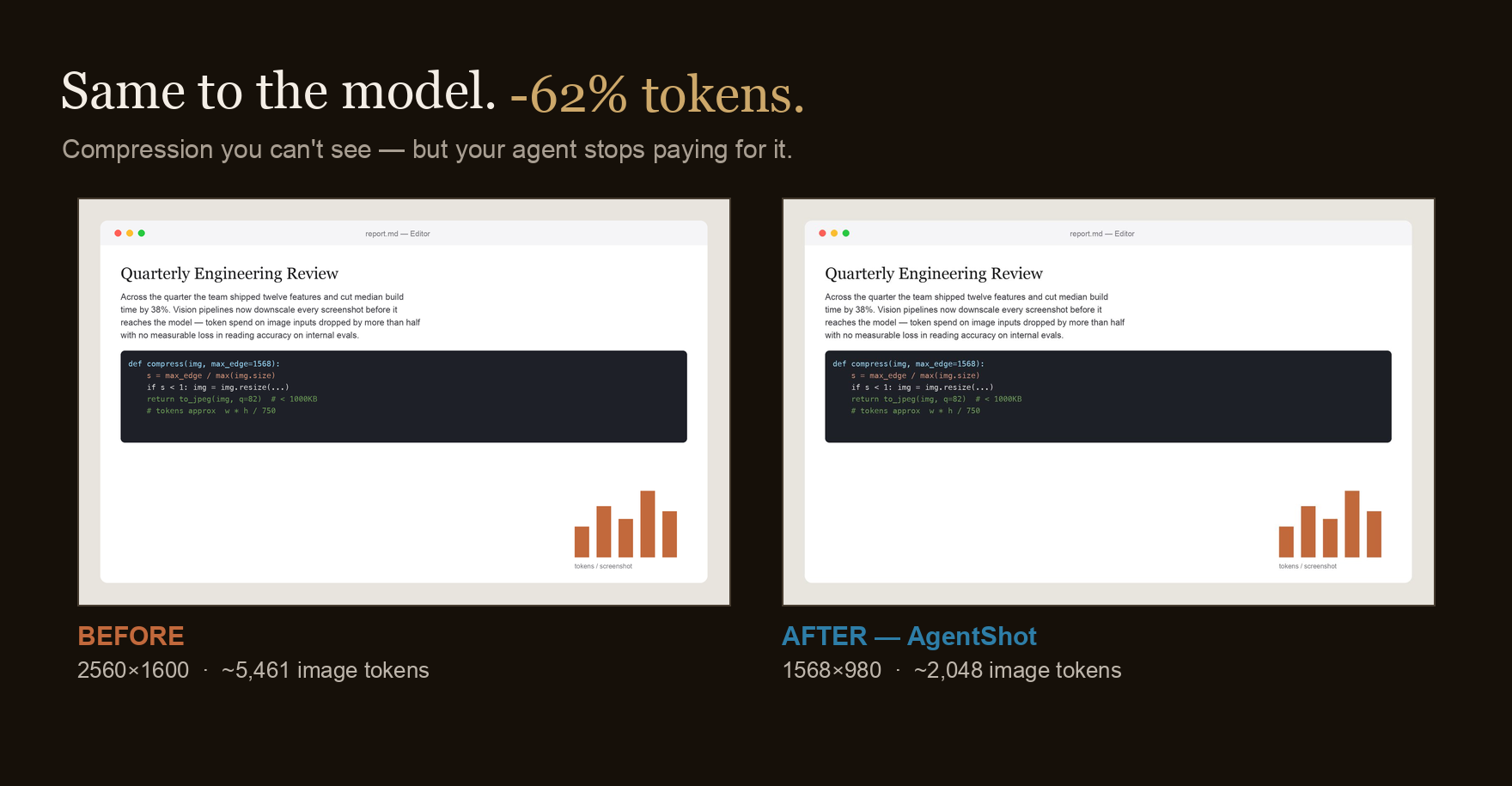
Vision models bill by pixels, not bytes. A screenshot's token cost is roughly its area divided by a constant — no amount of clever PNG encoding changes that.
AgentShot resizes the long edge down to 1568px — Claude's vision sweet spot — before the image ever reaches your clipboard. Fewer pixels, fewer tokens, same readable text.
tokens
≈ width × height ÷ 750
long edge → 1568px
The numbers
Reading accuracy holds. Token cost drops by up to 81%.
Where it actually pays off
| Agent | What you save |
|---|---|
| Claude Code | Saves bandwidth on upload — smaller payloads, faster round-trips. |
| Kiro | Large images can error out — real token savings and no more failed uploads. |
| Codex & others | Real token savings, straight off the clipboard. |